
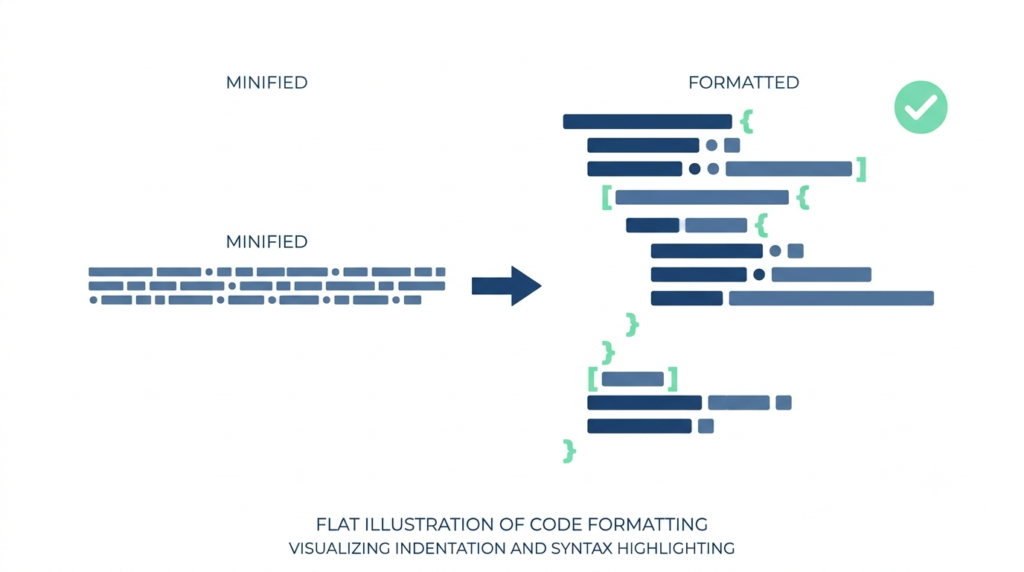
If you have ever opened a file or an API response and seen a single, endless line of curly braces, quotes and commas, you have met unformatted JSON. It may be perfectly valid, and a computer reads it without difficulty, but for a human, it is almost impossible to follow. A tiny mistake, such as one missing comma, can break an entire application, and finding it in a long line is a miserable task.
That is where a JSON formatter helps. It reads your JSON, checks that it is valid, and displays it with neat indentation so you can see the structure at a glance. In this guide, you will learn what JSON is, the exact rules of its syntax, how formatting (pretty printing) and minifying work, the most common errors and how to fix them, how JSON compares with XML and YAML, how to work with JSON in JavaScript and Python, tips for large files and security, and how to use JSON in everyday situations such as structured data for SEO. There are worked examples and practice questions. To format your own JSON, use our free JSON formatter.
Quick Answer: What Is a JSON Formatter?
A JSON formatter is a tool that validates JSON and displays it with indentation and line breaks so it is easy to read. The reverse process, called minifying, removes the extra spaces and line breaks so the data takes less space.
Example: {“name”:”Asha”,”age”:28} is valid minified JSON. A formatter shows it across several indented lines, with each key-value pair on its own line.
What Is JSON?
JSON stands for JavaScript Object Notation. It is a simple, text-based format for storing and exchanging structured data. Although it grew out of JavaScript, it is language-independent: virtually every programming language can read and write it. The format was popularised in the early 2000s, and it is now one of the most common ways for web servers and apps to talk to each other.
You meet JSON in many places:
- Web APIs: when an app asks a server for data, such as weather, prices or a list of messages, the response is usually JSON.
- Configuration files: settings for software, build tools and editors are often stored as JSON.
- Databases: document databases such as MongoDB store data in a JSON-like format, and many relational databases offer JSON columns.
- Structured data on websites: search-engine markup (JSON-LD) uses JSON to describe pages.
- Data exchange: logs, exports and messages between systems.
JSON is popular for three reasons: it is easy for humans to read and write, it is easy for machines to parse, and it maps neatly onto the data structures that programming languages already use (dictionaries, lists, strings and numbers).
JSON Syntax Rules
JSON is strict. A parser will reject anything that breaks the rules, even by one character. The main rules are:
- Data is in name/value pairs. A pair looks like “name”: “Asha”.
- Keys must be strings in double quotes. Single quotes and unquoted keys are invalid.
- String values must use double quotes, too.
- Objects are wrapped in curly braces { } and contain comma-separated pairs.
- Arrays are wrapped in square brackets [ ] and contain comma-separated values.
- Commas separate items, but there must be no comma after the last item (no trailing commas).
- Colons separate keys from values.
- There are no comments in standard JSON.
- The top level can be an object, an array or any single value (modern parsers accept any), though objects and arrays are the norm.
- Whitespace (spaces, tabs, line breaks) between tokens is ignored.
A Complete Example
Here is a small, valid JSON object in its compact (minified) form:
{"name":"Asha","age":28,"skills":["SQL","Excel"],"active":true,"address":null}The same data after formatting with two-space indentation:
{
  "name": "Asha",
  "age": 28,
  "skills": [
    "SQL",
    "Excel"
  ],
  "active": true,
  "address": null
}
Reading the formatted version is easy: the object has five keys. The value of “skills” is an array of two strings, “active” is a boolean, and “address” is null (meaning “no value”). Nested objects and arrays can be placed inside one another to any depth, which is where formatting really helps.
JSON Data Types
JSON supports just six kinds of value.
| Type | Description | Example |
|---|---|---|
| String | Text in double quotes | “Hello” |
| Number | Integer or decimal, with optional exponent, no quotes | 42, 3.14, -7, 1.5e3 |
| Boolean | true or false in lowercase | true |
| Null | An empty value in lowercase | null |
| Object | Unordered key-value pairs | {“city”: “Delhi”} |
| Array | Ordered list of values | [1, 2, 3] |
What is not in the list matters, too. JSON has no date type, no undefined, no NaN or Infinity, no functions and no comments. Dates are normally stored as strings (see below), and numbers like NaN must be represented in another way, such as null or a string.
Formatting (Pretty Print) vs Minifying
Formatting (Beautifying or Pretty Printing)
A formatter takes valid JSON and rewrites it with line breaks and indentation. Typical options are:
- Indent size: 2 spaces, 4 spaces or tabs. Two spaces are common in web projects, and four spaces in many other communities. Choose a convention and stick to it within a project.
- Sorting keys: alphabetical order helps when comparing two JSON files.
- Syntax highlighting and collapsible trees: many tools colour keys and values differently and allow you to fold sections.
- Validation: a good formatter points to the line and position of any error.
Minifying (Compressing)
A minifier removes all optional whitespace. The data stays identical, but the file is smaller, which saves bandwidth and storage. It is common to minify JSON sent over a network and to pretty print JSON for people to read.
How Much Smaller?
Take the example above. The minified version has 78 characters. The formatted version, with two-space indentation and line breaks, has 112 characters. That is 34 more characters, so the formatted version is about 44% larger (34 ÷ 78 ≈ 0.436). Put the other way, minifying saves about 30% (34 ÷ 112 ≈ 0.304). In real API responses with deep nesting and many items, whitespace can make up a large share of the size. Compression such as gzip reduces the difference a lot, since repeated whitespace compresses well, but minifying still helps.
If you want to know how data sizes are measured and how these savings translate into kilobytes and megabytes, see our guide on data storage units. The percentage calculations follow the method in our guide on percentage increase and decrease.
| Feature | Formatted (pretty) | Minified |
|---|---|---|
| Readability for humans | High | Low |
| File size | Larger | Smaller |
| Best for | Reading, debugging, documentation, version control | Network transfer, storage, production use |
| Meaning of the data | Identical | Identical |
Common JSON Errors and Fixes
When a parser rejects your JSON, it usually reports a message like “Unexpected token” at a certain position. Here are the most frequent causes.
1. Trailing Comma
Invalid: {“a”: 1, “b”: 2,} — the comma after 2 is not allowed. Fix: remove it: {“a”: 1, “b”: 2}. This is the single most common error, because many programming languages allow trailing commas.
2. Single Quotes
Invalid: {‘name’: ‘Asha’}. Fix: use double quotes: {“name”: “Asha”}.
3. Unquoted Keys
Invalid: {name: “Asha”}. This is valid in JavaScript objects but not in JSON. Fix: {“name”: “Asha”}.
4. Comments
Invalid: a line such as // the user’s name or a block comment. Fix: remove comments, or store notes in a regular field such as “_comment”: “…”. If you need comments in configuration files, consider a format that supports them, such as YAML, or a JSON variant such as JSONC or JSON5, if your tool supports it.
5. Missing Comma
Invalid: {“a”: 1 “b”: 2}. Fix: add a comma between the pairs: {“a”: 1, “b”: 2}.
6. Mismatched Brackets or Braces
Every opening { or [ needs its matching closing partner. Formatters help here because indentation makes a missing bracket easy to see. Fix: count and match them.
7. Unescaped Characters in Strings
Double quotes, backslashes and control characters (such as a literal line break) inside a string must be escaped. Invalid: {“quote”: “She said “hi””}. Fix: {“quote”: “She said “hi””}.
8. Invalid Values
Invalid: undefined, NaN, Infinity, True (capital T), None or NULL. Fix: use null, true and false in lowercase, and replace NaN with null or a string.
9. Leading Zeros and Other Number Problems
Invalid: 007 or +5 or .5. Fix: 7, 5 and 0.5.
10. Invisible Characters and Wrong Encoding
A hidden byte-order mark at the start of a file, smart quotes (“ ”) pasted from a word processor, or non-breaking spaces can break parsing. Fix: retype the quotes with a plain-text editor, save the file as UTF-8 and remove invisible characters.
A Debugging Routine
- Paste the JSON into a formatter or validator and read the error message and its line number.
- Check the line mentioned and the line just before it. Missing commas and quotes often show up on the next line.
- Fix one error at a time, then validate again, as one early mistake can cause several later errors.
- Check the brackets by looking at the indentation.
- If the JSON came from a program, find out why it was generated incorrectly instead of just repairing the output.
Validation and JSON Schema
There are two kinds of “valid”.
- Syntactically valid: the text follows the JSON grammar. A formatter or parser checks this.
- Structurally valid: the data has the fields and types that your application expects. For example, an “age” field should be a number, not a string.
JSON Schema is a standard way of describing the structure that your JSON must follow: which fields are required, what types they have, allowed ranges, patterns and so on. A validator checks a document against its schema and lists the problems. It is widely used for APIs, forms and configuration to catch errors early.
A Simple Example
A schema may say that an object must have a “name” string and an “age” integer of at least 0. The data {“name”: “Asha”, “age”: -5} is valid JSON syntax but fails the schema because the age is below the minimum. A formatter alone would accept it, but a schema validator would catch it.
Working with JSON in Code
Most languages have built-in support. The key terms are parse (turn JSON text into data) and stringify or serialize (turn data into JSON text).
JavaScript
const text = '{"name":"Asha","age":28}';
const obj = JSON.parse(text);           // text to object
const pretty = JSON.stringify(obj, null, 2);   // object to formatted text (2 spaces)
const compact = JSON.stringify(obj);           // object to minified text
Python
import json

text = '{"name":"Asha","age":28}'
data = json.loads(text)                 # text to dict
pretty = json.dumps(data, indent=2)     # formatted text
compact = json.dumps(data, separators=(",", ":"))   # minified text
Command Line
A popular tool called jq can pretty print and filter JSON from the terminal, for example by piping a file through jq . to format it. Many code editors also have a built-in “Format Document” command for JSON files, and browsers’ developer tools show formatted views of API responses.
Tips
- Always wrap parsing in error handling, since invalid JSON will throw an error.
- Do not build JSON by joining strings together. Use the language’s library, which handles quoting and escaping for you.
- Remember that object keys are unordered by definition, so do not depend on their order. Arrays are ordered.
JSON vs XML vs YAML vs CSV
| Feature | JSON | XML | YAML | CSV |
|---|---|---|---|---|
| Structure | Objects and arrays | Tagged elements | Indentation-based | Flat table rows |
| Readability | Good | Verbose | Very good | Good for tables |
| Comments | No | Yes | Yes | No (by convention) |
| Nested data | Yes | Yes | Yes | No (flat) |
| Data types | 6 basic types | Text, with schemas for types | Rich | Text only |
| Typical use | Web APIs, config, data exchange | Documents, older enterprise systems, feeds | Configuration files | Spreadsheets, exports |
| File size | Compact | Larger | Compact | Very compact |
Choose JSON when you need nested data that machines and humans can both read, especially for web APIs. Choose CSV for simple tables that you will open in a spreadsheet. Choose YAML when people edit configuration by hand and want comments. XML is still used in many established standards and documents.
Strings, Escaping and Unicode
JSON strings are enclosed in double quotes and may contain any Unicode character. Certain characters must be written with an escape sequence that starts with a backslash.
| Sequence | Meaning |
|---|---|
| “ | Double quote |
| \ | Backslash |
| / | Forward slash (optional escape) |
| n | New line |
| r | Carriage return |
| t | Tab |
| b and f | Backspace and form feed |
| u00e9 | The character é, written with a four-digit Unicode code |
Examples: a Windows file path C:UsersAsha must be written as “C:\Users\Asha”. A string with two lines is written “Line onenLine two”. Non-English text, such as Hindi or emoji, can be written directly in a UTF-8 file or as u escapes. Always save and transmit JSON as UTF-8 to avoid garbled characters.
Numbers and Dates
Numbers
JSON numbers can be integers or decimals, and can use exponent notation, such as 1.5e3, which is 1,500. If you want to know how exponent notation works, read our guide on scientific notation.
The format itself does not limit number size, but many programs do. In JavaScript, numbers are stored as 64-bit floating-point values, so integers above 9,007,199,254,740,991 (which is 2⁵³ − 1) cannot all be represented exactly. Large identifiers, such as some database IDs, can lose precision when parsed. A common solution is to send large IDs as strings. Decimal values such as 0.1 + 0.2 may also give results like 0.30000000000000004 in floating-point arithmetic. For money, many systems store the amount in the smallest unit (such as paise or cents) as an integer, or as a string, to avoid rounding issues.
Dates and Times
JSON has no date type, so dates are stored as strings or numbers by convention. The most widely used choice is the ISO 8601 format, such as “2026-10-07” for a date and “2026-10-07T09:30:00+05:30” for a date and time with a time zone offset. This format is unambiguous, sorts correctly as text and is supported by most libraries. Some systems use a “Unix timestamp”, the number of seconds (or milliseconds) since 1 January 1970. When sending times between systems, include the time zone or use UTC; see our guide on the time zone converter.
Large Files and Performance
- Browser-based formatters may slow down or freeze on very large files (tens of megabytes). For big files, use a desktop editor or command-line tools such as jq.
- Streaming parsers read the data piece by piece instead of loading everything into memory, which is useful for very large datasets.
- JSON Lines (JSONL or NDJSON) stores one complete JSON object per line, which makes it easy to process huge logs and datasets line by line.
- Compression: gzip or Brotli can shrink JSON a lot for transfer, since it is repetitive text.
- Binary alternatives such as MessagePack or Protocol Buffers are more compact and faster, but are not human-readable.
- Size estimate: a JSON file with 100,000 records of about 200 bytes each is roughly 20 MB (100,000 × 200 bytes = 20,000,000 bytes). Our data storage guide shows how to convert such numbers.
Security and Privacy
JSON often carries sensitive information. A few precautions are worthwhile.
- Be careful about where you paste data. Do not paste passwords, API keys, tokens, personal data or production customer records into an online tool unless you trust it. A formatter that runs entirely in your browser, without uploading data, is safer, and a local code editor is safest. Check the tool’s privacy statement.
- Never put secrets in client-side code or public repositories. API keys and passwords in JSON config files can leak.
- Validate input. If your application accepts JSON from users, check its structure, types and size before using it. Limit the maximum size and depth to prevent abuse.
- Do not execute JSON as code. Use proper parsers, such as JSON.parse, and never eval, which can run malicious code.
- Escape output. When JSON data is displayed in a web page, escape it properly to prevent injection attacks.
- Use HTTPS when sending JSON over the internet.
- Protect accounts and access. If your JSON files are in a cloud account, secure it with strong, unique passwords and two-factor authentication. Our guide on password generator safety explains how.
JSON for SEO: Structured Data
If you run a website, you will meet JSON in the form of JSON-LD, the format that search engines recommend for structured data. It sits in a script tag in the page and describes the page in a way that machines can understand: that it is an article, a FAQ, a product, a recipe, an event and so on. This can help search engines show richer results.
A small example for an article:
{
  "@context": "https://schema.org",
  "@type": "Article",
  "headline": "JSON Formatter Guide",
  "datePublished": "2026-10-07",
  "author": { "@type": "Organization", "name": "FreeToolCalculators" }
}
Because it is JSON, a single trailing comma or a missing quote makes the whole block invalid, and search engines will ignore it. That is why it is a good habit to run your structured data through a JSON formatter and a structured data validator before publishing. All articles on this site use this approach: a title, description, FAQ markup and a clear structure. For writing guidance that goes with it, see our guide to the word counter for SEO.
Note that structured data must match the visible content of the page, and having it does not guarantee a rich result.
Common Mistakes
- Using single quotes or unquoted keys. Always use double quotes.
- Leaving a trailing comma. It is the most common error of all.
- Adding comments. Standard JSON does not allow them.
- Copying from word processors. Smart quotes and hidden characters break parsing.
- Building JSON by hand with string concatenation. Use a library.
- Assuming a formatter checks meaning. It checks syntax only, not whether your data is correct.
- Trusting big numbers. Large IDs can lose precision in some languages.
- Pasting sensitive data into unknown tools. Protect secrets and personal data.
- Depending on key order. JSON objects are unordered by definition.
- Mixing up JSON and JavaScript objects. They look similar, but JSON is stricter.
Practice Questions
- What is wrong with {‘name’: ‘Asha’, “age”: 28,}?
- Write the correct JSON for an object with the key “city” and the value “Delhi”.
- Which of these is valid in JSON: True, true, undefined, null?
- How do you write the Windows path C:Users in a JSON string?
- The minified example has 78 characters and the formatted version 112. By what percentage is the formatted version larger?
- Write the date 7 October 2026 in an unambiguous string format.
Answers
- It has single quotes around the first key and value (they must be double quotes) and a trailing comma after 28.
- {“city”: “Delhi”}
- Only true and null are valid (both in lowercase).
- “C:\Users”, with the backslash escaped.
- (112 − 78) ÷ 78 × 100 ≈ 43.6%.
- “2026-10-07” in ISO 8601 format.
Frequently Asked Questions
What is JSON?
JSON (JavaScript Object Notation) is a lightweight text format for storing and exchanging data, using key-value pairs in objects and ordered lists in arrays.
What does a JSON formatter do?
It validates JSON and adds indentation and line breaks so it is readable. A minifier does the opposite and removes extra whitespace.
Why does my JSON show an error?
Common causes include a trailing comma, single quotes, unquoted keys, comments, missing brackets or commas, and unescaped special characters.
Can JSON have comments?
No. Standard JSON does not allow comments, though some tools accept variants such as JSONC or JSON5.
What data types does JSON support?
Strings, numbers, booleans, null, objects and arrays. There is no native date type.
Is it safe to paste JSON into an online formatter?
Only if the data is not sensitive. Avoid pasting secrets or personal data, and prefer tools that run in your browser or a local editor.
What is the difference between JSON and a JavaScript object?
JSON is a strict text format, while a JavaScript object is a data structure in code. JSON requires double-quoted keys and strings and does not allow functions, comments or trailing commas.
Conclusion
JSON is simple, but strict. Learn the handful of rules (double quotes, commas between items but not after the last one, no comments, six data types), use a formatter to make the structure visible, and use a minifier when size matters. Fix errors one at a time, validate against a schema when the shape of the data is important, keep large identifiers safe as strings and never paste sensitive data into tools you do not trust. These habits will save you hours of debugging.
To format and validate your data in seconds, use our free JSON formatter, and keep learning with these related guides: